On call
A page on its own goes to every phone linked to your account. That's right for one person and wrong for five. On call decides who gets a page, in what order, and how long to wait before trying the next person. It lives under On call in the web app.
There are two pieces. A rotation says whose turn it is. An escalation policy says who a page goes to, step by step, and a channel or a probe names the policy it pages through.
Who can be on call
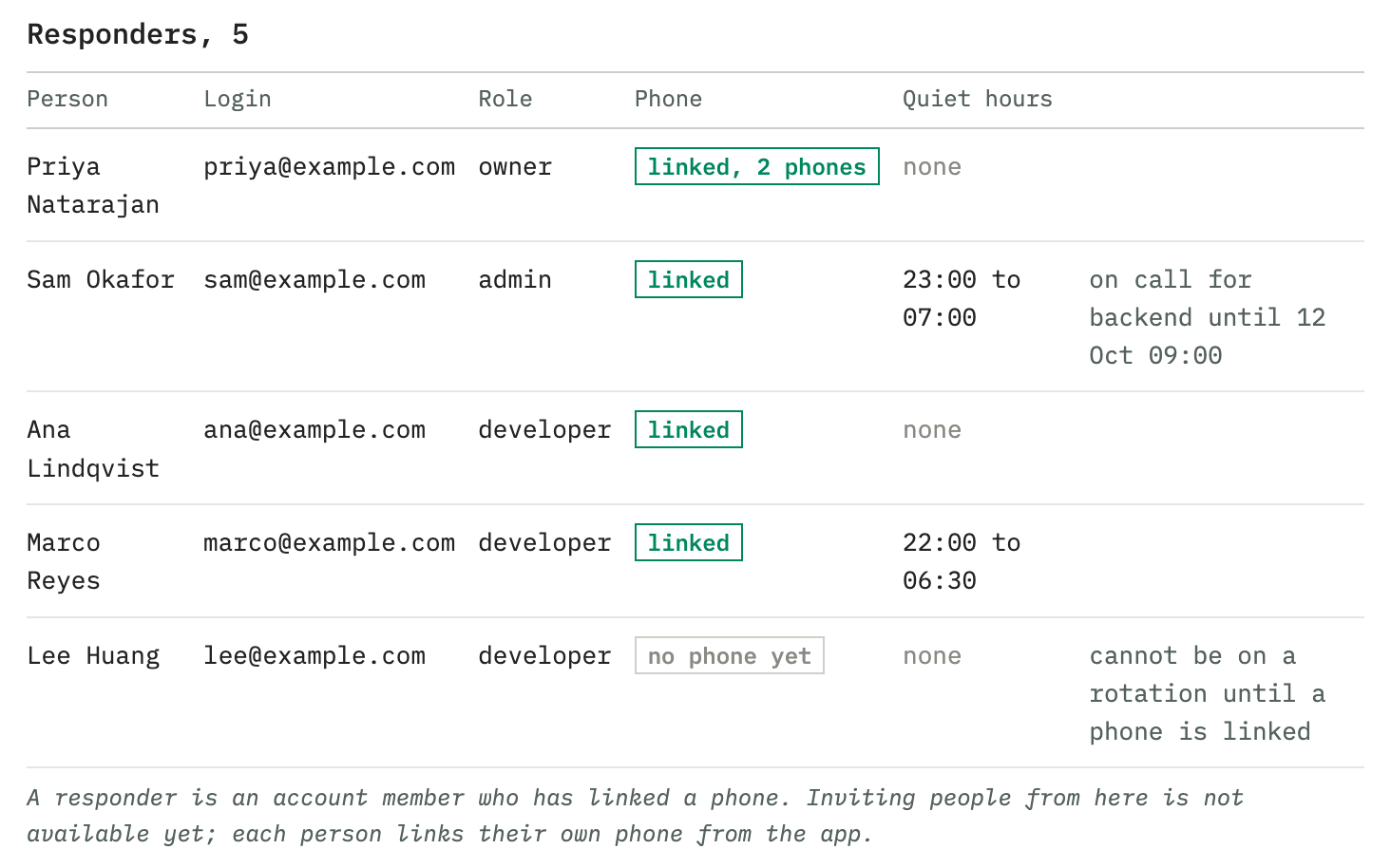
Anyone who's a member of the account and has linked a phone. Each person links their own: they sign in to Tissue Mast from Mast Pager, or make a code under Phones and enter it in the app. Someone without a linked phone shows up in the list but can't take a shift or be named in a step, because there'd be nothing to ring.
Members are added in Account settings and listed under Members in the web app. Solo is one person, Team is up to 10 and Company up to 25. An invite past the headcount is refused with the count, and nothing is deleted; the escalation partner on the app doesn't count. Open invites do.
Rotations
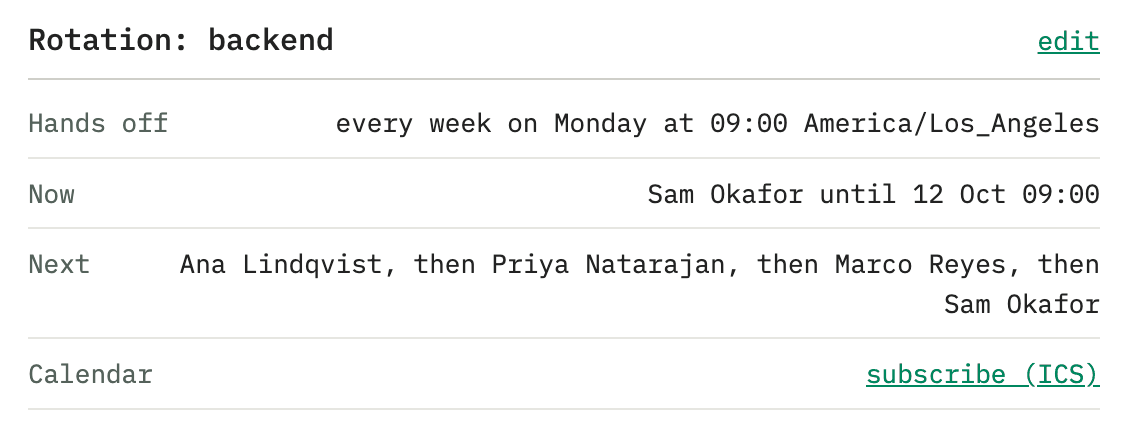
New rotation asks for a name (backend, weekends), the people in order, and when the shift changes hands:
- every day, every week on a day you pick, or every two weeks,
- at a time of day, in a time zone you pick.
The handoff stays at that hour when the clocks change, so a 09:00 handoff is still at 09:00 the week after daylight saving starts.
An override puts someone else on for whole days, first day to last day, in the rotation's zone. It can cover the rotation outright, or cover only one person's shift, so "Ana covers Ben's week" doesn't also take Cy's shift if the rotation lands on Cy that week.
Each rotation can have a calendar feed: a read-only link any calendar app can subscribe to, showing who's on and when. Making a new link stops the old one.
Escalation policies
A policy is a list of steps. Step 1 fires the moment a page arrives. Each later step fires if nobody has acknowledged by the time its wait runs out. A new step waits 5 minutes.
A step pages one of:
| Target | Who it reaches |
|---|---|
| whoever is on call for a rotation | The person on shift right now |
| the next person on a rotation | The one after them, for a second line |
| a specific person | Their linked phones |
| everyone on the account | Every linked phone |
| a channel | Another channel's audience |
A step that names someone with no linked phone, or a rotation with nobody on it, pages everyone instead. A page that can't find its person shouldn't quietly go nowhere.
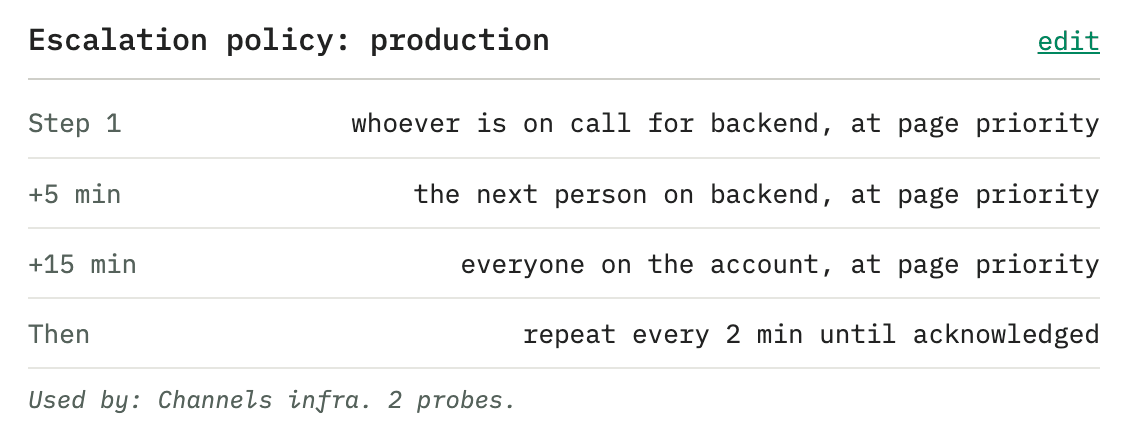
After the last step, a policy either stops paging and leaves the incident open, or is set to go round again. The page itself keeps ringing on every phone it has reached, on the channel's repeat, until somebody acknowledges it or it expires.
Attach a policy from the channel's or the probe's settings, under Escalation. Only pages follow a policy. Loud, normal and quiet messages go to everyone on the account, because they don't wake anybody.
A policy past your plan's cap, after a downgrade, is paused. A paused policy pages the way no policy does: everyone.
What isn't applied yet
Some settings are saved and shown but don't change what happens yet. The web app says so next to each one:
- A step's priority. Every step pages at the level the message arrived with.
- Going round again after the last step. The policy stops after its last step either way. The page still repeats on the channel's schedule.
- Each person's own quiet hours in the app are shown on the On call screen. Pages aren't routed around them yet; handing a page to the next person during someone's quiet hours is coming soon.
Acknowledged isn't fixed
Acknowledging stops the repeat and the escalation. It doesn't mean anyone fixed anything. Set an ack timeout on the channel and an acknowledged page that still isn't resolved after that many minutes pages again, once. Delivery has the setting.
A partner, without an account
Mast Pager has a smaller version of this that needs no account: an escalation partner on a channel. A page nobody acknowledges goes to the partner after 2, 5, 10 or 30 minutes, once, and only for pages from that channel.
A partner is another phone that agreed to be woken. On the channel's Escalation partner row, Get a pairing code: it comes back as a code and a QR, works once, and expires. Show it across a desk or send it, and there's nothing else to set up on either side.
A channel can have both a partner and a policy. They're separate: the policy walks your team, and the partner is one extra phone that said yes.